Best AI Design & Branding Tools for Marketers Who Need Professional Visuals Without a Designer (2026)
Every marketing team needs visual content daily — social media posts, ad banners, email headers, presentation decks, logo variations, and brand materials. The traditional workflow meant briefing a designer, waiting for a first draft, going through revisions, and repeating the cycle. For anything time-sensitive or high-volume, that process does not scale. AI design tools have changed what is possible for marketing teams without in-house design resources. A logo brief that used to take a week and cost thousands now takes 20 minutes and a small subscription. A month of social graphics that required a designer’s full week can be produced in a day. We have tested 30+ AI design and branding tools. This list covers what actually works for marketing teams — from quick social graphics to complete brand identity, sorted by what job each tool does best.
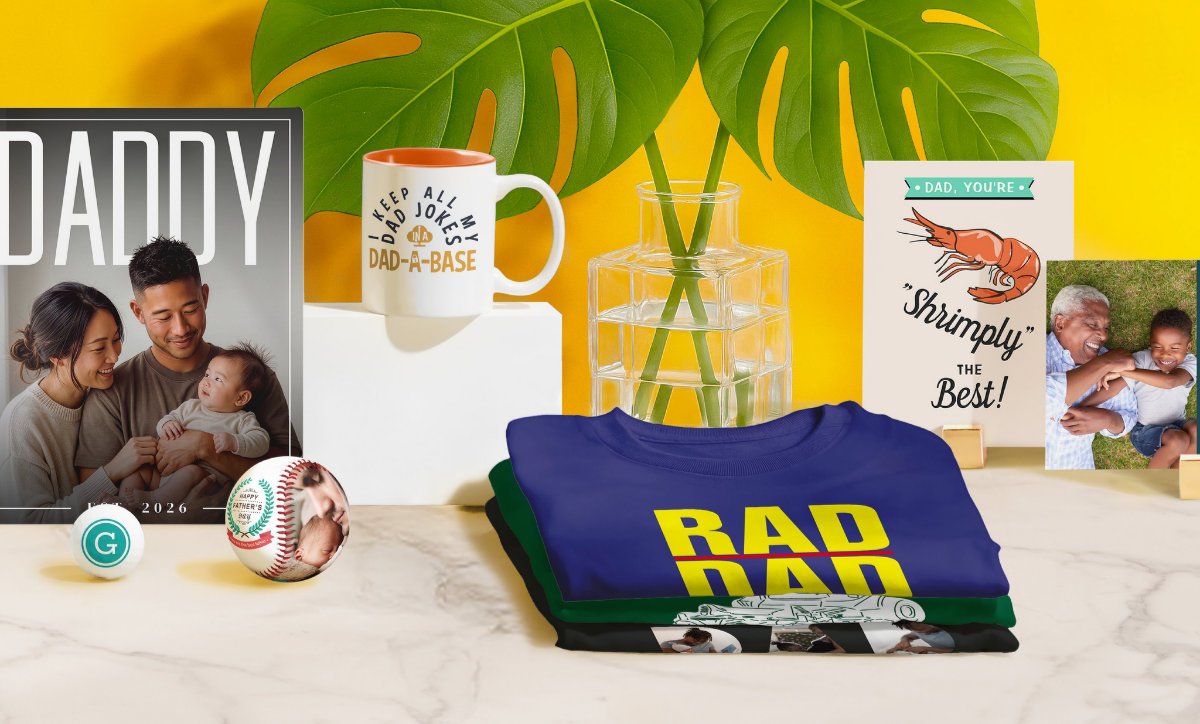
On-Demand Design Marketplace, Custom Product Personalization, and Print-on-Demand (POD) Platform
Quick AI-powered logo design generator
Free Logo Maker & Brand Identity Platform
AI Online Video Editor & Live Streaming Software
All-in-One Cloud-Based Visual Content Creation, Enterprise Presentation, and Interactive Data Visualization Platform
AI UI/UX Design & Wireframing Software
All-in-One AI Design & Branding Tool
Professional Infographic Maker, Data Visualization, and Business Communication Platform
Converts images to vectors automatically
AI Image Upscaler & Enhancer Platform
AI UI/UX Design & Prototyping Software
AI Image Generation Tool
Don't Lose This. Bookmark aimarketingtools.best.
30+ AI design and branding tools reviewed · Updated July 2026 · Tested across marketing teams, agencies, and solo operators
Frequently Asked Questions About AI Design & Branding Tools
AI-Powered Design Tools for Creative Workflows, Layout & Prototyping
What is the best AI design tool for marketing in 2026?
For **all-around social media and marketing design**, Canva is the category leader — widest template library, strongest brand kit features, and the most straightforward AI for non-designers. For **logo and brand identity specifically**, Looka and Brandmark produce the most complete brand kits. For **AI image generation**, Adobe Firefly (safest for commercial use), Midjourney (highest artistic quality), and DALL·E 3 (most accessible for non-designers) each lead in different criteria. For **infographics and data visualization**, Venngage is purpose-built for marketing-formatted visual content.
Can AI make a logo that is good enough for a real business?
Yes — for most business types and use cases. Tools like Looka and Brandmark generate logos that are clean, professional, and distinctly better than DIY text-on-a-background approaches. The outputs work well for: startups, local businesses, SaaS products, personal brands, and e-commerce brands. Where AI logos still fall short: complex brand identities that require distinctive custom illustration, brands in industries where visual differentiation is a strategic asset (luxury, high-fashion, premium agency), and rebrands of established companies where brand equity matters. For those cases, AI tools are better used for concept exploration than final deliverables.
Are AI-generated images safe to use commercially?
It depends on the tool. **Adobe Firefly** is explicitly trained on licensed and public domain content and is cleared for commercial use — making it the safest choice for agencies and brands. **Midjourney** includes commercial rights in paid plans (check the current terms, as they have changed before). **DALL·E** via OpenAI grants commercial rights to paid subscribers. **Stable Diffusion** open-source models have more complex licensing depending on which model weights you are using. Always check the specific terms of service for commercial licensing before publishing AI-generated images in paid advertising or printed materials.
What is the difference between Canva and Adobe Firefly?
They serve different purposes. **Canva** is an all-in-one design platform for creating finished marketing materials — social posts, presentations, logos, posters, and more — with AI features built in (Magic Design, AI image generation, background removal). **Adobe Firefly** is primarily an AI image generator integrated into Adobe’s professional tools (Photoshop, Illustrator, Express). Canva is faster and more accessible for non-designers producing finished outputs. Firefly is more powerful for designers who need AI-generated elements within a professional creative workflow. Most marketing teams use Canva for self-serve production and Firefly (via Photoshop) when working with designers.
How do I maintain brand consistency when using AI design tools?
The most reliable approach: set up a brand kit in your tool before generating anything. Canva Pro, Creatopy, and Venngage all support brand kits — upload your logo, lock in your brand colors (hex codes), and set your approved fonts. Any output generated from those tools then defaults to your brand settings. For AI image generation, include specific style descriptors in your prompts (“flat illustration style, navy blue and white, minimalist, corporate”) consistently across sessions. For teams: share the brand kit workspace so everyone generates from the same starting point, not their own defaults.
What is the best AI tool for creating infographics?
**Venngage** is the strongest AI-powered infographic tool for marketing teams — it has templates for every common marketing infographic format (process flows, comparison charts, statistics, timelines) and AI content generation that fills templates from your data. **Piktochart** is a strong alternative, particularly for reports and data visualizations. For simpler charts and graphs, Canva’s graph features handle most needs. For data-heavy technical infographics, **Infogram** and **Flourish** are built specifically for interactive and publication-ready data visualization.
Can non-designers really produce professional marketing visuals with AI tools?
Yes — for the majority of marketing use cases. Tools like Canva’s Magic Design, Adobe Express, and Looka produce outputs that are professionally formatted and on-brand. The practical limit: AI design tools excel at volume, consistency, and speed for known formats. Genuinely original, campaign-defining creative — a brand rebrand, a high-production campaign hero visual, a distinctive illustration style — still benefits from human creative direction. The pattern that works well: use AI for the 80% of content that needs to be good and on-brand, and use designers for the 20% that needs to be exceptional and distinctive.
What is the best free AI design tool for marketing?
**Canva’s free plan** is the strongest by far — templates for every marketing format, basic AI features, and enough functionality to run a real content operation without paying. **Adobe Express** (formerly Adobe Spark) has a solid free tier. **Microsoft Designer** is free with a Microsoft account and includes AI image generation. **Remove.bg** is completely free for background removal at web resolution. For AI image generation specifically, **Adobe Firefly** (free credits), **DALL·E 3 via Bing Image Creator** (free with a Microsoft account), and **Ideogram** (generous free tier for text-in-image generation) are the strongest free options.
Get the Best New AI Design & Branding Tools in Your Inbox Every Monday
Get New AI design tools Update in your inbox, every Monday.